Table of Contents
Overview
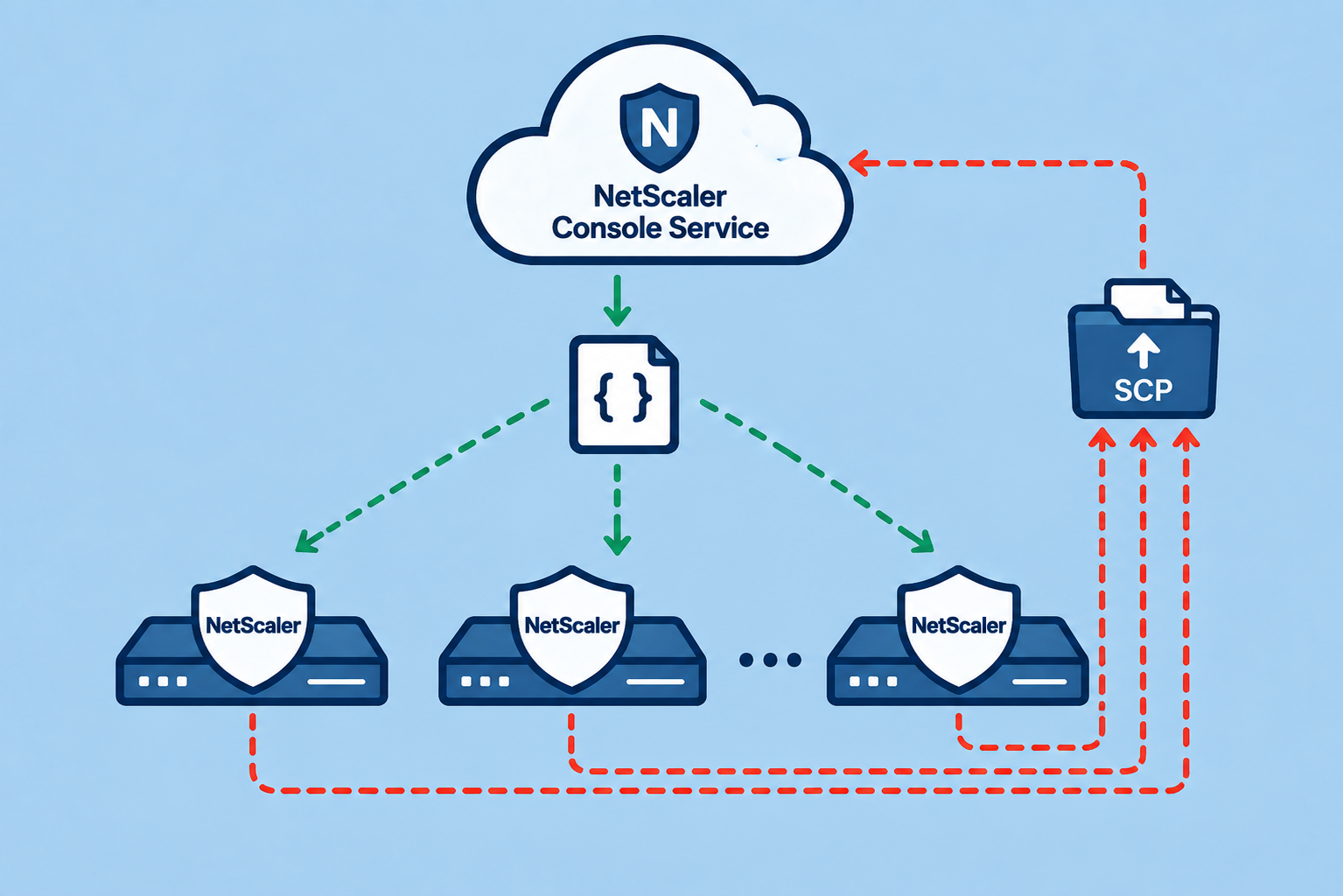
Quick-Post about how you can run IoC Scripts, centrally managed by NetScaler Console (NSC) or NetScaler Console Service (NSC-Service) and getting the results without ever connecting to your NetScaler Instances by manual.
IoC Scripts from Citrix are builtin in NSC and NSC-Service, but there are reported some issues running these Scripts to Instances (For example the need of a clean Telemetry-Status for all Instances or a deployed standalone Agent.)
As I’m mostly working with the Built-In Agent and also want to run Community-Scripts like Thomas Poppelgaard’s netscaler-ctx697096-checker without the need of manually connecting to customer environments, I built two Config-Jobs for running the scripts and also downloading the results with NSC / NSC-Service.
Thomas built 11 Versions (at the moment of this writeup) of his Script within one Week. I don’t want to run these Scripts manually on all customer Instances day by day, anymore.
Config Jobs
Upload & Run
Import the NSC-IoC-PutAndRun.json on your NSC / NSC-Service at Infrastructure -> Configuration -> Job Templates.
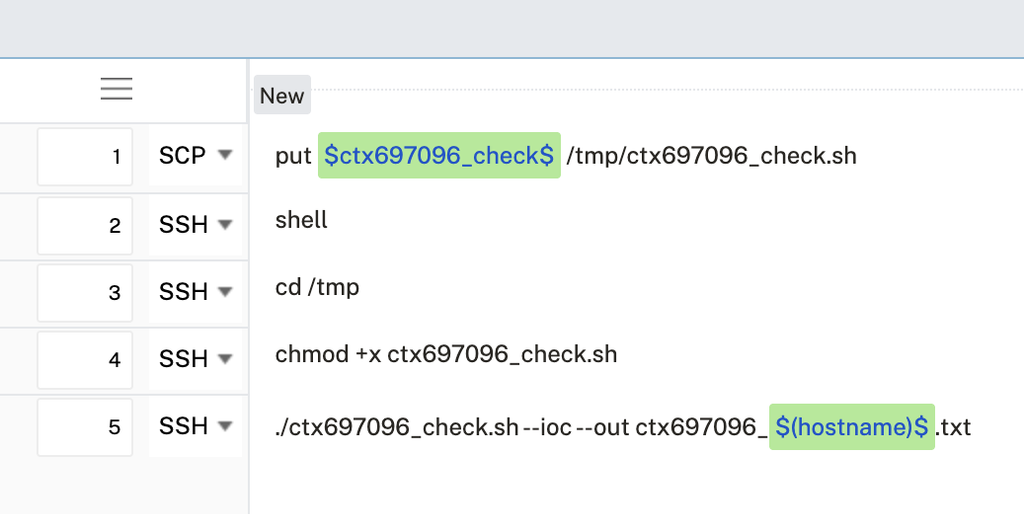
Create a Job and Drag & Drop the imported Template from the menu on the left to the CLI-Window. It will look like this:
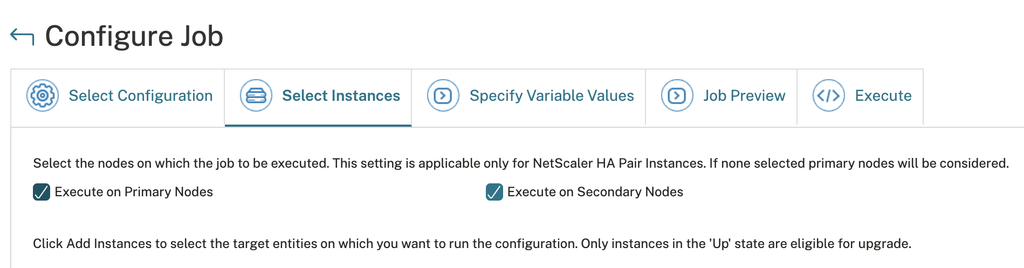
Execute the Script on both Primary and Secondary Nodes. You can add all your Instances, it can run in parallel without issues:
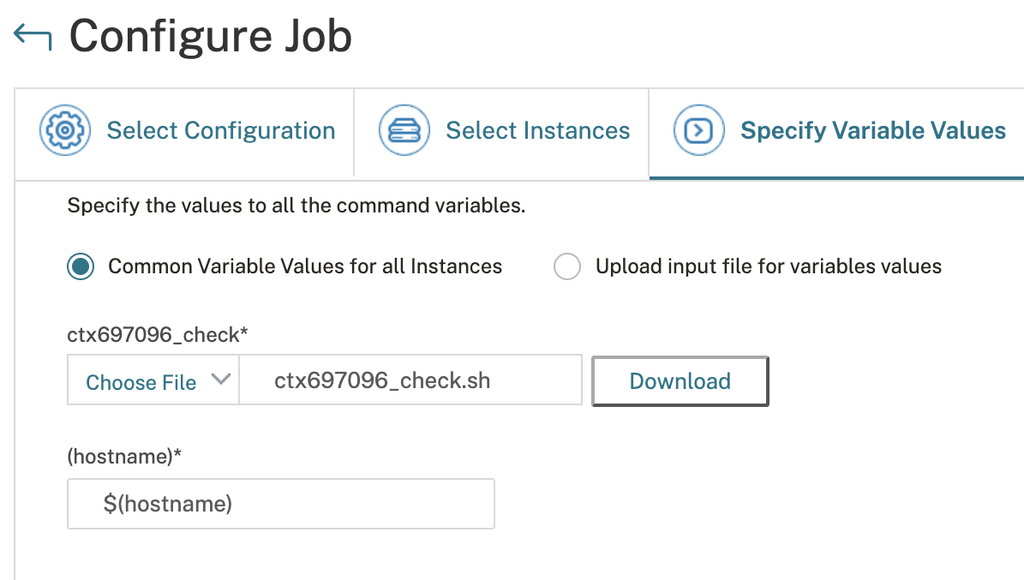
On the first Variable, upload your preferred IoC-Script
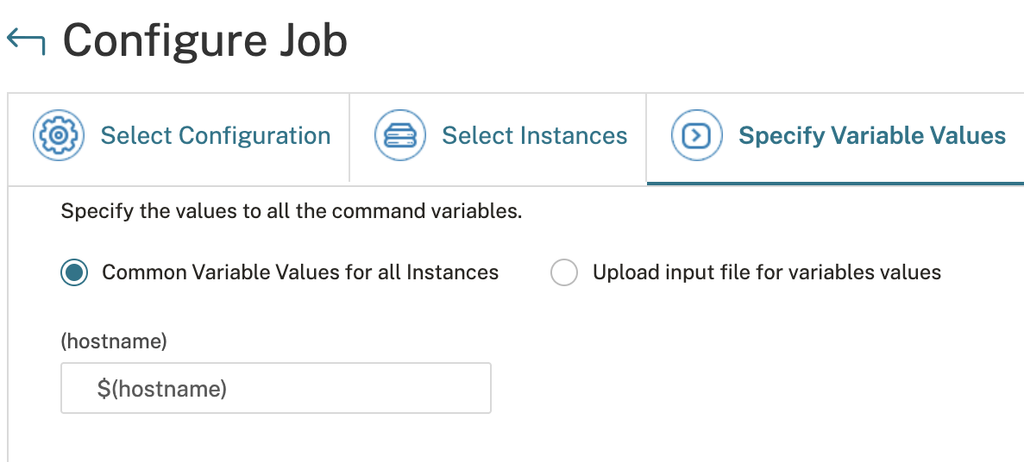
On the second Variable, enter $(hostname)
Run the Job.
Download & Check
Import the NSC-IoC-GetResults.json on your NSC / NSC-Service at Infrastructure -> Configuration -> Job Templates.
Create a Job and Drag & Drop the imported Template from the menu on the left to the CLI-Window. It will look like this:
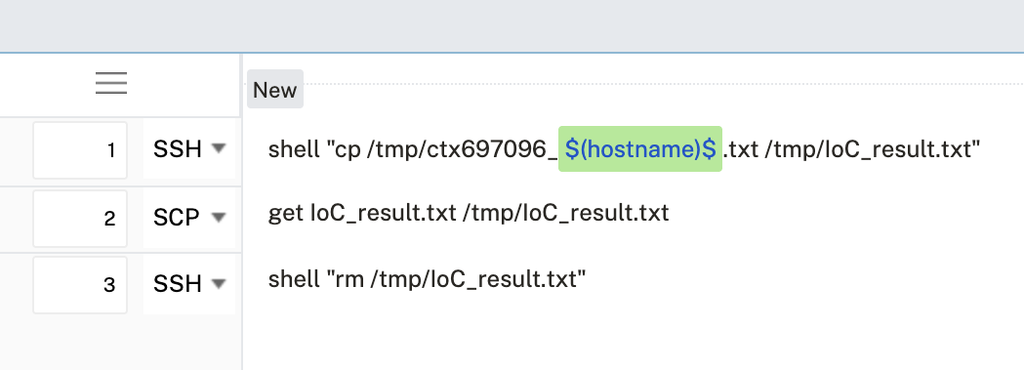
IMPORTANT – when it’s an HA-Pair, sadly you have to run the Config-Job twice. First on Execution on Primary only, a second round for Execution on Secondary Nodes only.
That’s because the SCP get command on NSC has issues with Variables like $(hostname)$ – it will never upload the txt file. That’s also the point of copying the results into a temporary IoC_result.txt. If anyone has a solution for that, please feel free to comment, but I tried a bunch of different things and variables to upload from Primary and Secondary both at the same time, it was never working fine.
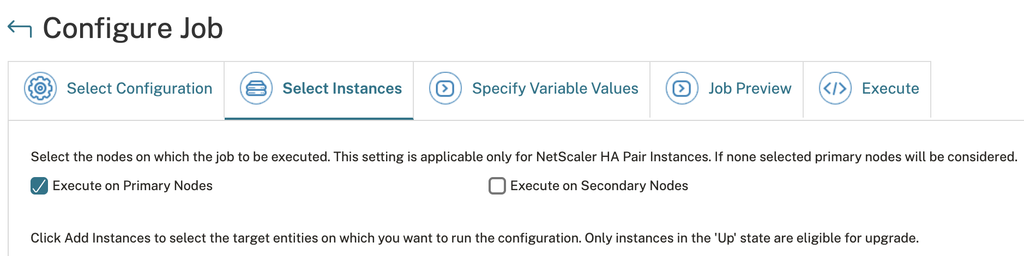
Again, enter the Variable $(hostname) and run the Job.
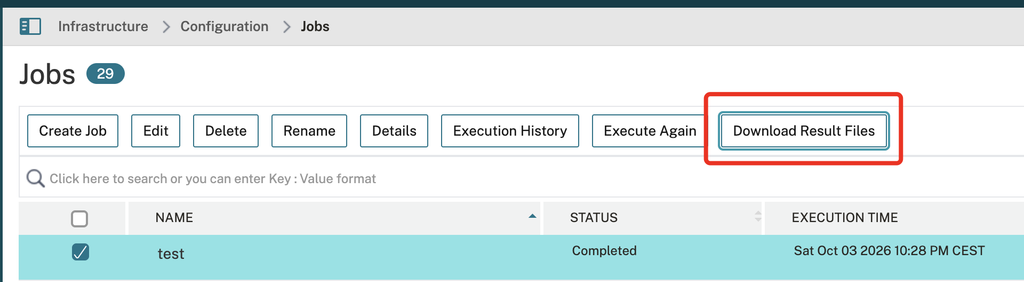
When the Job is finished, click on Download Result Files:
You will get a tgz file, extract it:
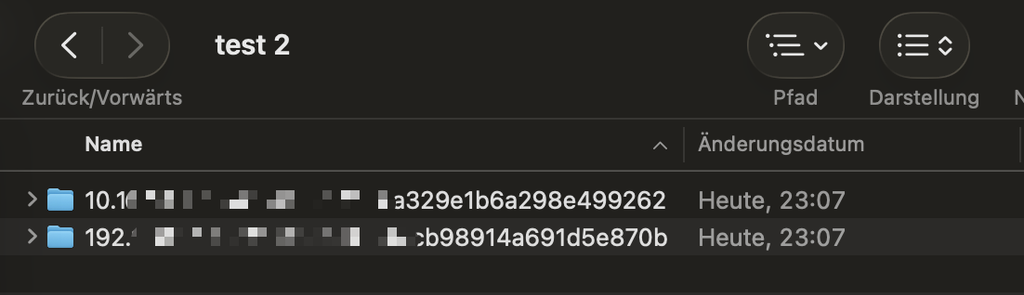
Every folder now contains the IoC_result.txt which got uploaded from your NetScaler Instances to your NSC / NSC-Service. Now you can evaluate every result, without connecting to any NetScaler by manual, ever.
Summary
An easy but powerful way for possible future IoC-Security Checks, all central managed by NetScaler Console or NetScaler Console Service. This will save a bunch of time.