Table of Contents
Overview
Post-Quantum Cryptography (PQC) involves new public-key security algorithms designed to protect digital data from future quantum computers. NetScaler supports it since 14.1 51.72 – I’ve written about that and the configuration here last year.
On June 22, Trump signed Executive Order 14412, “Securing the Nation Against Advanced Cryptographic Attacks,” accelerating the federal transition to post-quantum cryptography (PQC). Agencies need to submit a migration plan to the national cyber director within 120 days.
The EU-Roadmap (Co-Leadership is the german BSI) concentrates on every member state to submit migration plans till the end of this year. Till 2030, KRITIS (Critical IT-Infrastructure) provider are expected to be migrated to PQC.
Is there anything to know or consider for the planning of enabling PQC (Forced or Hybrid-Mode) for your SSL Services? YES, there is.
Hardware Offloading
Normally, a VPX on SDX or a MPX are trying to offload as much as they can to the SSL Chips / Crypto Hardware Units. So the Packet-CPU hasn’t that much to do.
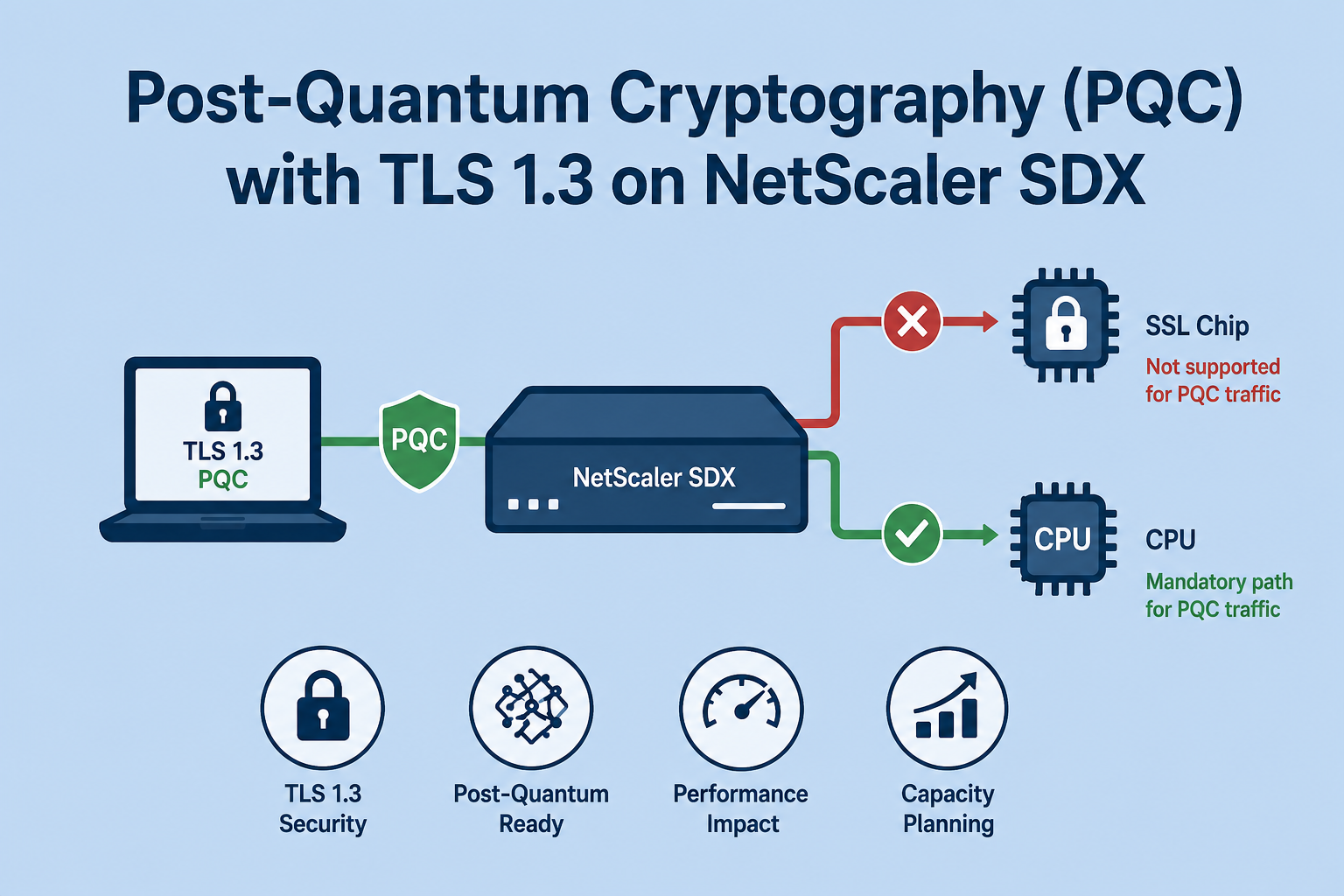
What is changing now? Maybe you are Switching from a TLS 1.2 or a TLS 1.3 + 1.2 SSL Frontend Profile to a PQC-enabled TLS 1.3 Profile. In that moment, you are switching to MLKEM768 Handshakes and at the same time, switching the offloading from Hardware Crypto Units to CPU.
Because neither Coleto / Lewisburg nor Emerald Rapids Intel QAT (used by new 9200 and 17000 SDX models) supports quantum-safe crypto algorithms like MLKEM. And a fair point, that’s not a restriction of NetScaler / SDX, it’s a general thing. Competitors like F5 BigIP or KEMP are also using Emerald Rapids Intel QAT Chips on their latest Hardware, also offloading on CPU.
For SDX, within the latest 17000 platform, there are a total of 96 logical CPU’s (2 sockets x 24 cores x 2 threads per core) – so there should be enough dedicated Core’s to assign to your VPX machines for offloading PQC.
But for older Hardware it could be breaking some sizings, depending on how many VPX you’ve deployed to your SDX Hardware.
Citrix did some internal performance benchmarks, a heavy load tested environment reached a CPU overhead of ~25% compared to Non-PQC-Traffic.
Check your Packet Engine (PE)
Before switching to PQC, check your actual PE-usage.
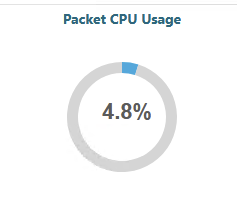
You can see the total amount of CPU Usage via Dashboard on the NetScaler GUI:
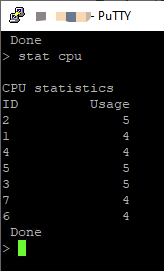
Also, with stat cpu you can check the amount of Packet CPU’s and their load per Engine:
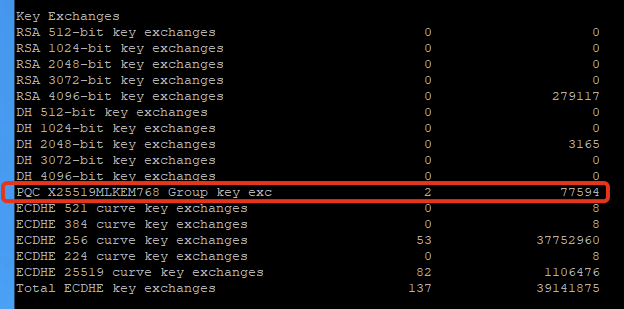
After enabling PQC, with stat ssl detail you can see how often a MLKEM (PQC) Handshake took place
Now there comes the difficult part. Switching from TLS 1.3 / 1.2 key exchanges to PQC-enabled TLS 1.3 key exchanges means hand over the current load from your SSL Crypto Unit to your CPU Packet Engine. How do you calculate that new amount of load? Well, I don’t know. Why? Because it was never that easy to monitor the current load of the Crypto Unit.
In theory, the GUI shows both crypto symmetric and asymmetric usage, the same with stat ssl detail
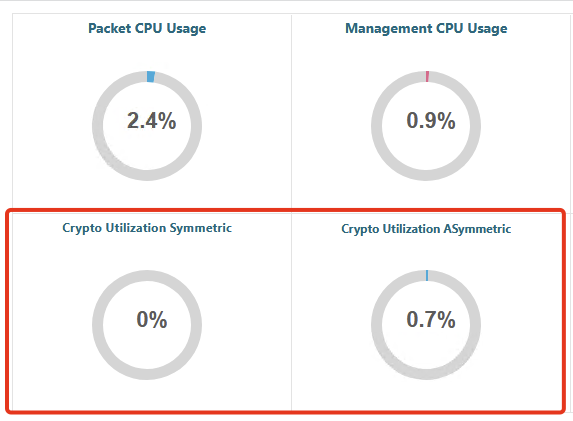
I’ve supported a bunch of enterprise environments with heavy load, and never seen a double-digit capacity utilization. Now, if you would trust these numbers, you can always switch to PQC without any performance issues or limitations, right? Absolutely not. I had several discussions with Citrix about serving a “real” Crypto-Usage. At the end, it will be something between calculating and testing. Maybe your actual assigned shared or dedicated Cores per VPX will be sufficient, maybe you have to assign 1-4 more Cores, it depends.
TLS 1.3 Backend Profile
One note I want to add here – if you’re switching to TLS 1.3 PQC on the Frontend, it totally makes sense to remain at this security level and use also TLS 1.3 (without PQC, it’s only supported for Frontend) at your SSL Backend Profile.
I recently did that at a customer, and not only the VPX-Pair crashed, also the whole SDX and all other VPX-instances running on that appliance…
Jep, and here’s the Fixed Issue with 14.1 73.30 which you should definitely use:
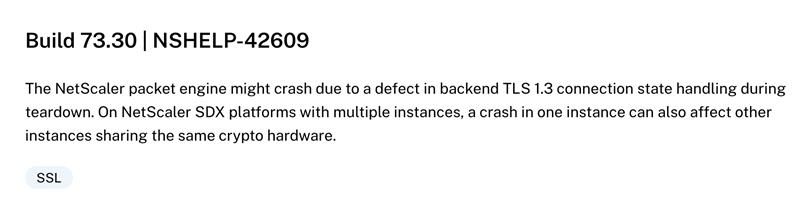
In general, the 73.30 Build has fixed five issues related to possible crash of the NetScaler packet engine, looks like Engineering is trying to stable things up. In total there are fourteen fixed issues related to NetScaler / packet engine crash.
VPX Hypervisor Advantage
Thanks to pooled licenses (ULHMC or Platform) – here comes one fair point for using VPX on Hypervisors other than SDX – like vSphere, native XenServer, Nutanix AHV,… – there’s no Packet Engine (PE) CPU limitation, anymore.
That’s an important note – fixed capacity (like it was always in the past) for example a VPX 200 can have a maximum of 2 PE, a VPX 1000 a maximum of 3 PE, doesn’t matter on how much RAM or vCPU you are assigning.
Now, with flexed licensing, you can use a VPX 200 with 12 PE’s if you would like to, just assign enough vCPU and RAM and you’re good to go.
Now, with PQC getting processed by CPU, a limitation can be the Processors of your SDX Architecture. Until there will be Hardware Crypto Units, supporting offloading of PQC Traffic, it’s a possible way to move your heavy SSL-Offloaded-Traffic to VPX on other Hypervisors and assign enough vCPU to use a high amount of PE’s.
It could be a common future design to use just a dedicated Hypervisor-Cluster (For example XenServer) serving VPX virtual machines.
Summary
I have always been torn between architectures using SDX and those using VPX on dedicated hypervisors. The current limitation regarding hardware SSL offloading confirms—at least for the time being—another advantage for the latter. (In addition to the well-known advantages in the areas of backup / restore and snapshots)
Let’s see what future Firmware Updates could bring to Intel QAT or next hardware generation with (other?!) technology partners and hardware approaches around 2029.