Table of Contents
Overview
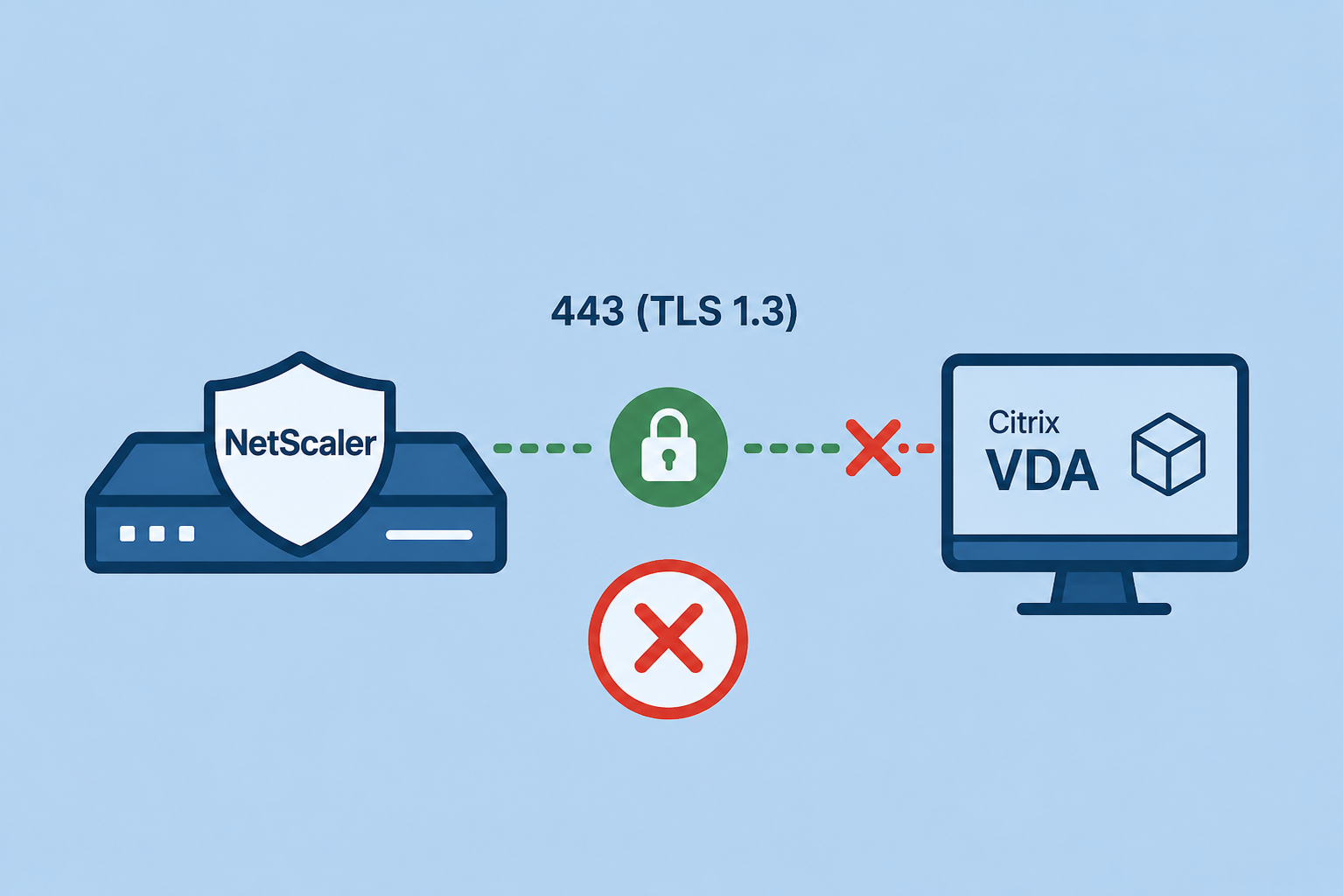
This Quickpost contains informations about deploying a secure frontend to backend communication with NetScaler, using TLS 1.3 to achieve a continues 443 TCP (UDP with EDT / DTLS) connection from NetScaler Frontend (HDX Gateway) to NetScaler Backend (Citrix VDA) to be able to disable the classic HDX Ports like 1494 (ICA) and 2598 (CGP).
Also, we’ve stumbled across a connection issue with TLS 1.3, details in the post.
Normally I would prefer to use HDX Direct, but for an air-gapped environment, where STUN will not work, TLS VDA is the way to go. Secure HDX is also a great encryption method, but needs some latest CVAD / Workspace App Builds, or it will break.
Configuration
On the CVAD Installation Media, there’s a Script named Enable-VdaSSL.ps1 – this will configure an internal certificate to be bound to the VDA service, creating the needed windows firewall rules and disables the “classic” (unencrypted) windows firewall rules for VDA.
Example of a script execution on VDA:
Enable-VdaSSL.ps1 -Enable -CertificateThumbPrint "12345678987654321" -SSLMinVersion "TLS_1.2" -SSLCipherSuite "GOV"
After that, make sure to edit the ns_default_ssl_profile_backend SSL-Profile, this is used by default (and you can’t change it) to communicate with the VDA’s in a HDX-Proxy setup. Include TLS 1.3 and the three TLS 1.3 Cipher.
After the first tests, we identified some connection errors / issues, there’s always the Error code 2064.10054 generated by CWA (doesn’t matter if CWA for Windows or for macOS):
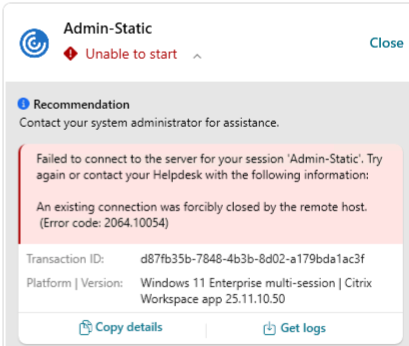
I’m pretty sure TLS VDA with TLS 1.3 was working fine in general in the past, also from internal the success rate is 100%. Only via NetScaler, approximately every fifth session start breaks. As soon as we disable TLS 1.3, TLS 1.2 is forced and the issue is gone.
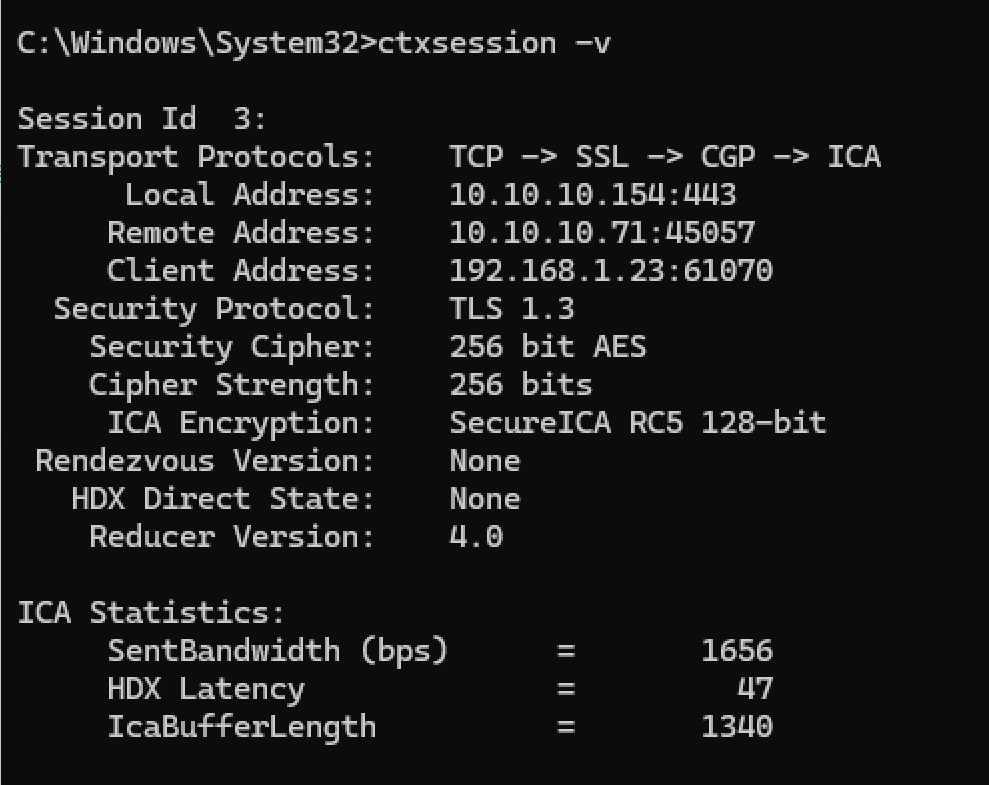
A successful session should look like this, where CGP is used by 443 with TLS 1.3:
Debugging
We’ve tried different Ciphers, but with TLS 1.3, there are only three. So there’s not that much you can do wrong when choosing Cipher Suites.
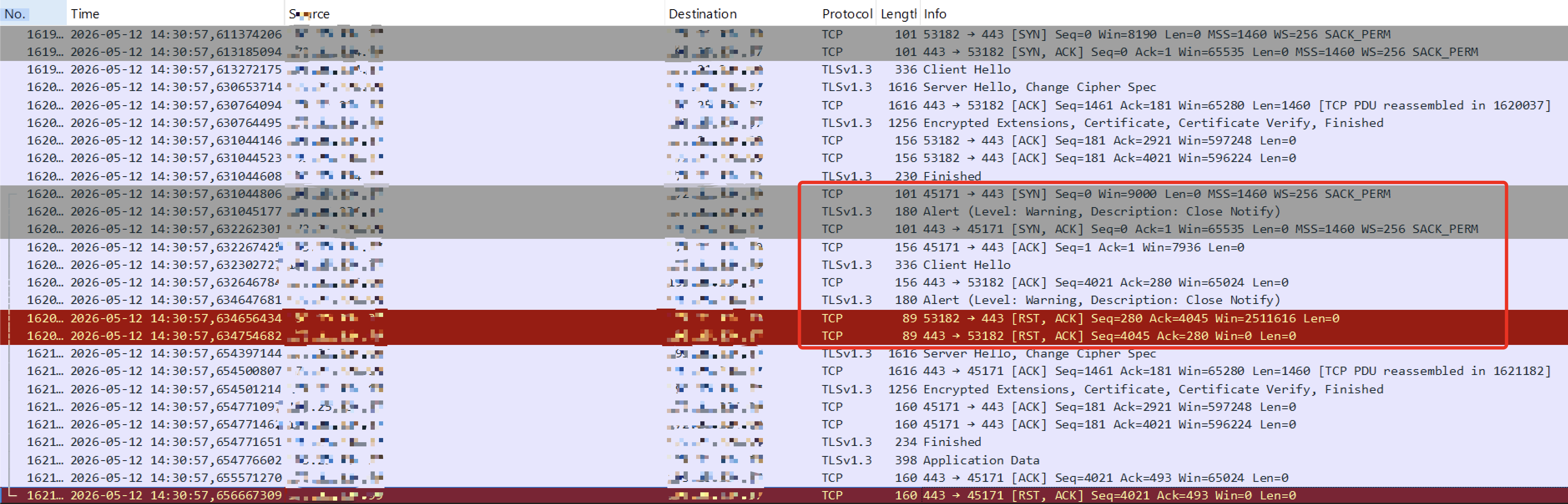
We did some NetScaler traces and also CDF-Control traces the same time on the VDA. It looks like the VDA is closing the connection-request via TLS 1.3
Trace:
CDF Control:
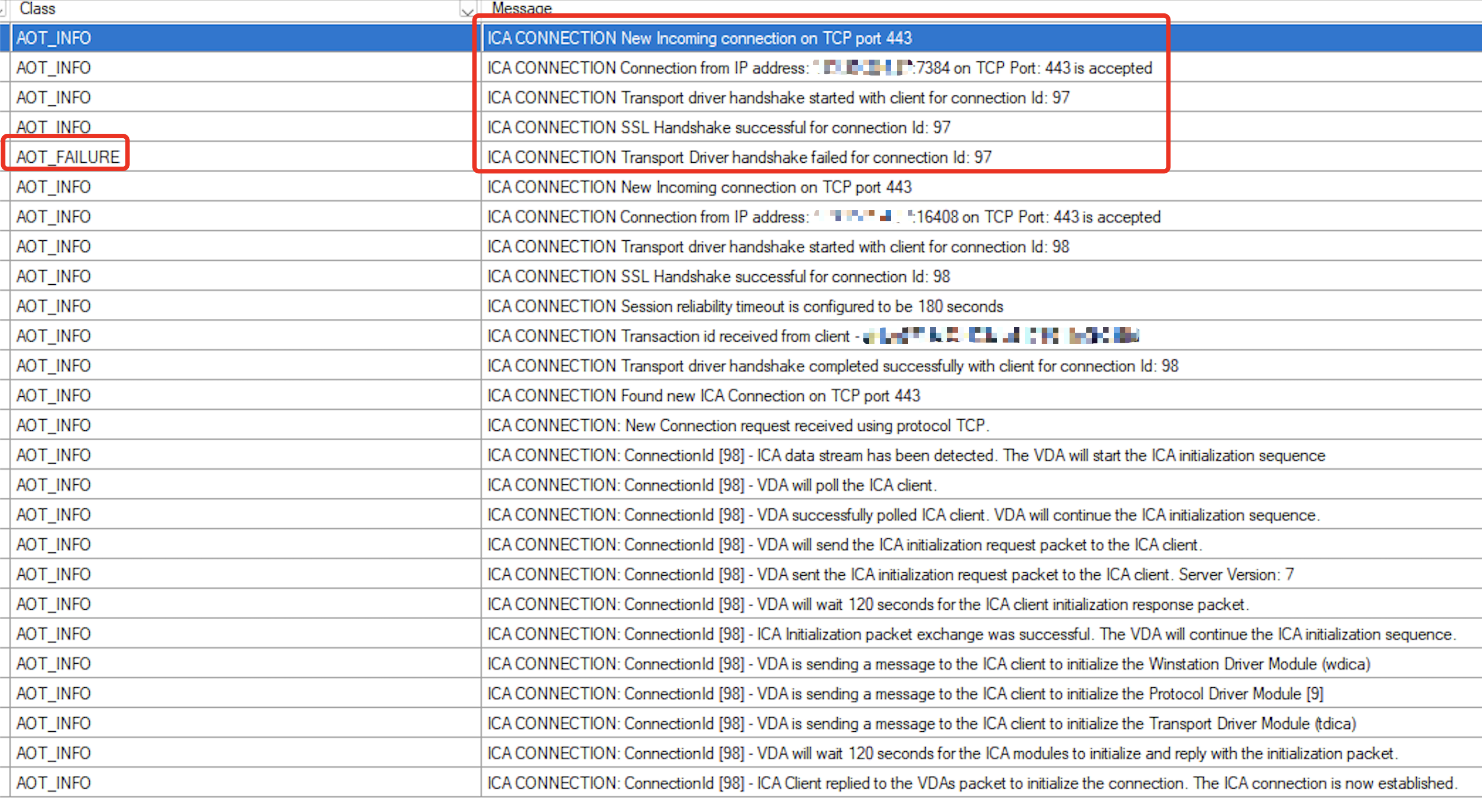
The CDF Control Trace shows first an unsuccessful connection with connection ID 97, second try (connection ID 98) was working fine, where a session comes up.
I’m able to reproduce the issue exactly on my lab and on a customer setup. We’ve tried NetScaler 14.1 Build 66.59 and also the brand new 72.57.
We are both sure, that setup was working fine in the past and maybe started with a specific NetScaler Build to bring these failure rates.
At the moment, there are two Citrix Support Cases about that and NetScaler Team is investigating.
Update 17092026 – Fixed
After some discussions and debugging with the NetScaler Engineering Team AND the CVAD / VDA Engineering, it looks promising the VDA is closing the TLS 1.3 connection.
The TLS 1.3 issue is fixed in CVAD (VDA) 2507 LTSR CU2 and could also be backshiped to 2402 LTSR CU 5 (not confirmed, yet!).
I wasn’t able to test with 2607 LTSR, I hope this is fixed in that Build, too.
Summary
I will keep this post updated when we’ve found a solution with NetScaler Support. Let me know in the comments if you noticed the same issue.