Table of Contents
Overview
I did some first Tests with Global Secure Access – Private Access during the public Preview in 2023, here testing private Citrix Sessions, tunneled by GSA-Client.
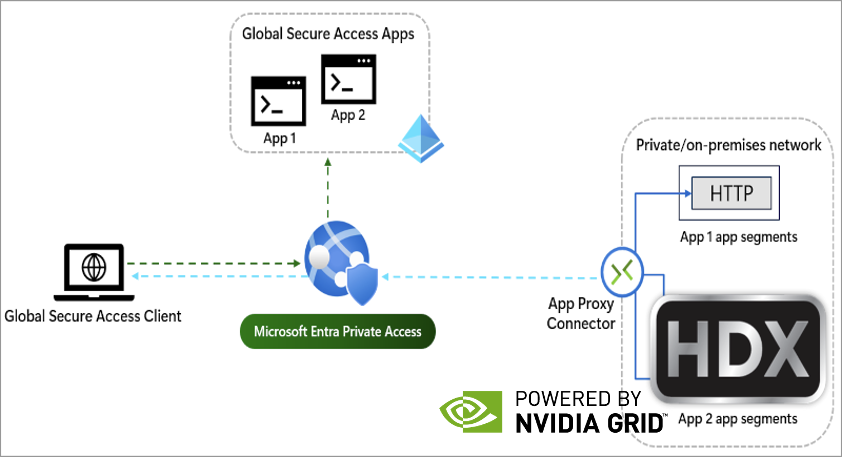
In this customer PoC, I did the same, using Citrix HDX Direct (Client via GSA to Citrix VDA with 443 UDP) to connect to a Azure hosted Windows 11 Multi-Session Workload with NVIDIA vGPU. Yes, we will “pushing GSA to the max” and see how’s the performance when using Realtime applications, like graphic workload.
Configuration
Architecture
The following is the PoC architecture where we did the tests for the customer. For reference, we will also connect to a Server 2025 RDSH in my Lab on Hetzner in Finland.
| Name | IP | Function |
| AZ-SRV01 | 10.0.10.6 | Private Network Connector Group “Azure” |
| HTZ-XDC02 | 10.10.10.21 | Private Network Connector Group “Hetzner-FIN” |
| AZ-VDI-GPU | 10.0.10.7 | Win11 Multi-Session Azure, 4 GB NVIDIA A10 vGPU Profile |
| HTZ-RDSSH01 | 10.10.10.154 | Server 2025 RDSH Hetzner |
| CLT01 | DHCP | Win11 Notebook with GSA installed |
Setup GSA
If you need some basic understanding on how Private Access works, checkout my mentioned Post at the top of the post.
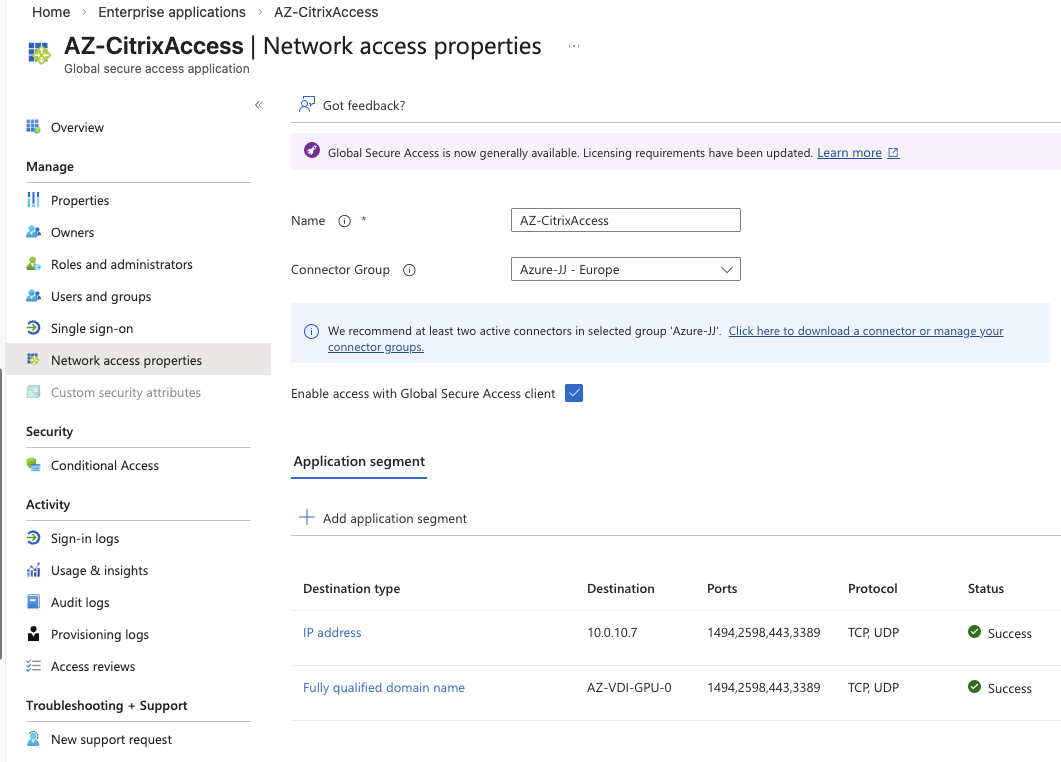
I just created two Enterprise Applications within Global Secure Access, one to Azure (linked to Connector-Group Azure) and the other to Hetzner-Finland (linked to Connector-Group Hetzner-FIN) so the traffic gets routed the most optimal way. Always place Connectors near (directly) to your Applications.
Monitoring
Client Side
GSA brings a Advanced diagnostics by default. You can see some pretty nice informations, like the used forwarding profile and also real-time traffic-collector.
This is an easy way on the clientside to verify, the traffic gets tunneld by GSA.

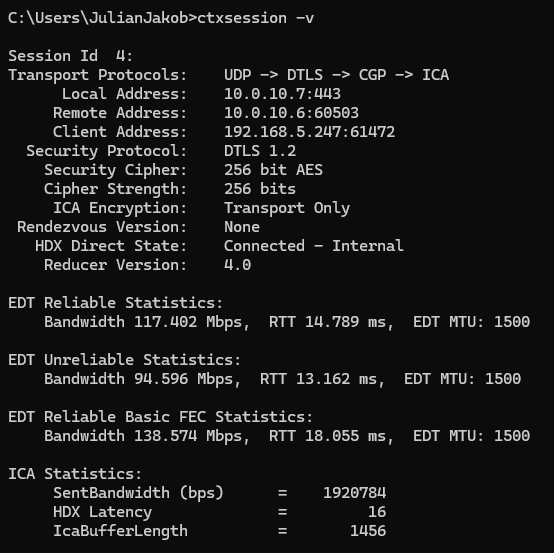
Also we’ve checked inside the HDX session, where you can see the session is connected via 10.0.10.6 (Remote Address), which is the Private Network Connector on Azure. HDX Direct State is recognized as “Connected – Internal” so no Gateway Service or NetScaler Gateway in between:
Let’s run CarVisualizer and check the performance – that’s smooth:
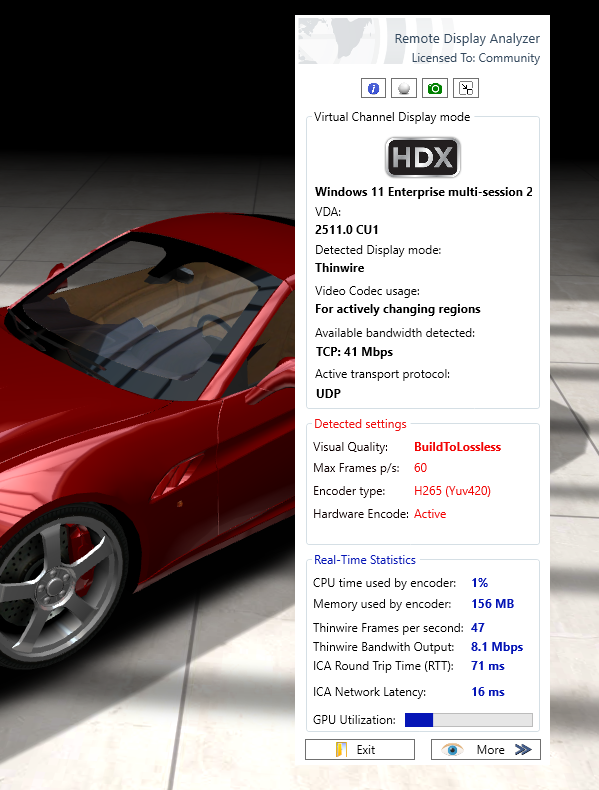
Because of a Intel UHD Graphics Onboard GPU on the clientside, H.265 is used.
Running a YouTube 4k Video, Encode and Decode is used by the A10 vGPU on Azure:

Entra (Cloud) Side
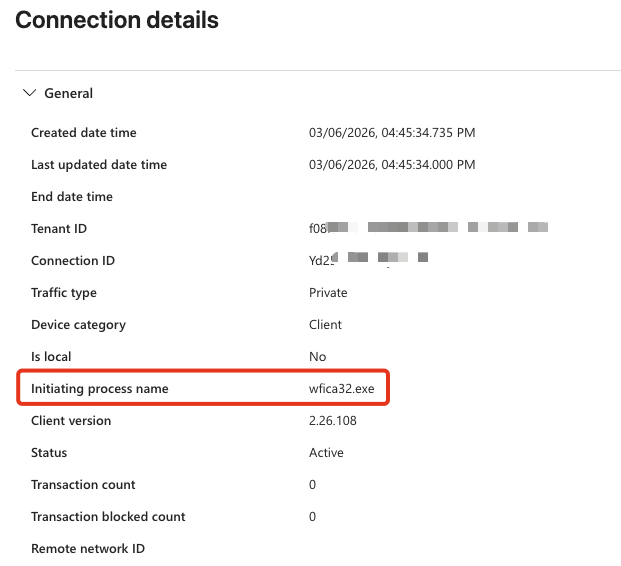
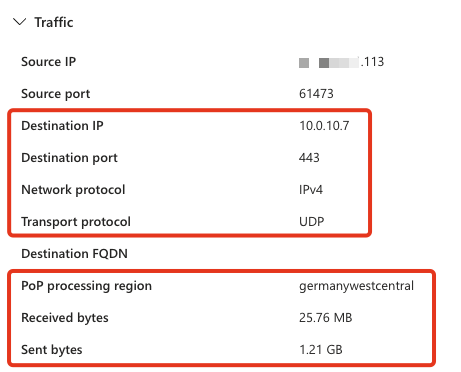
There’s a great Monitor / Traffic logs menue on GSA in Entra where you can track all tunneled traffic from your clients.
Here’s Citrix’ wfica32.exe, tunneling 443 UDP to my Azure vGPU Session Host:
Citrix Monitor (Cloud) Side
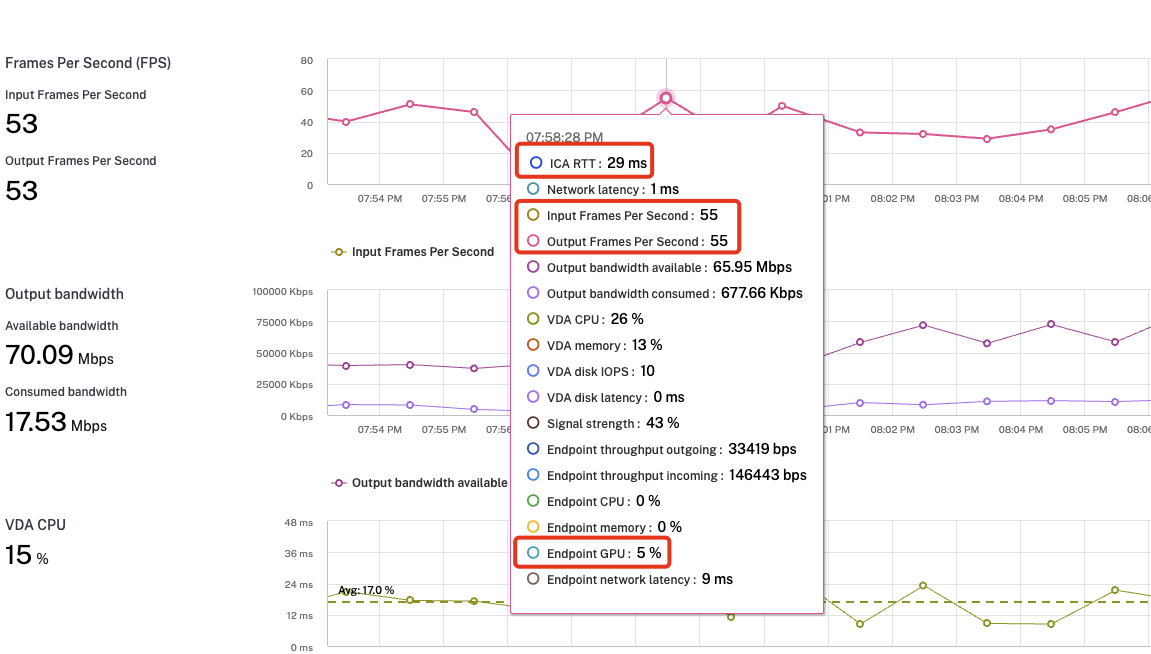
We’ve enabled endpoint measurement within Citrix Policy, so get some nice network details on Citrix Monitor, too.
Here’s a performance overview, while I ran CarVisualizer on the Session. Because of the Client-GPU on the Test-Notebook, H.265 was used:
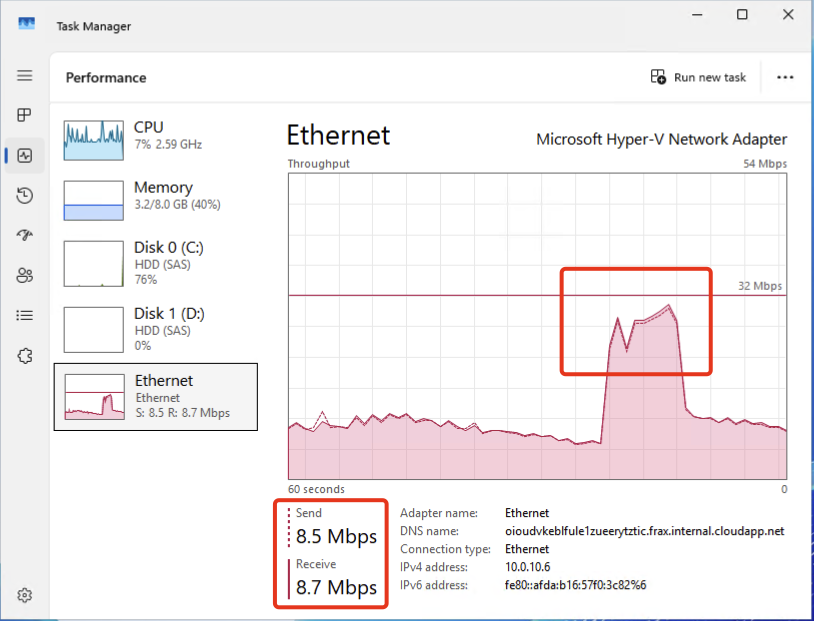
What is happening on the Connector during the Live-Session? As all traffic is routed through it, depending on your usage, you will see network throughput:
For testing purposes, I did some connection tests to my Admin-VDA (Server 2025 RDSH) in Finland via the Private Network Connector Group “Hetzner-FIN”.
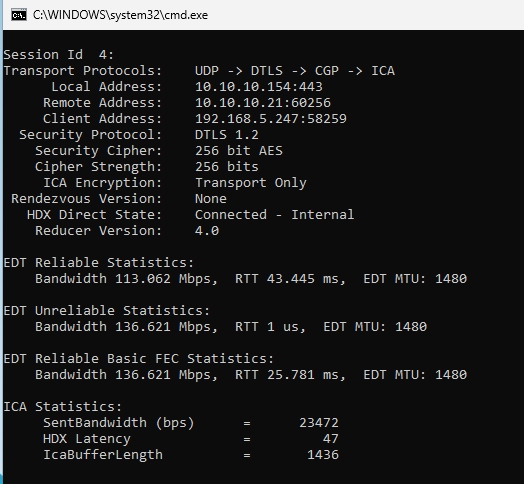
Again, we’ve checked inside the HDX session, where you can see the session is connected via 10.10.10.21 (Remote Address), which is the Private Network Connector of my OnPrem Lab in Finland. HDX Direct State is recognized as “Connected – Internal” so no Gateway Service or NetScaler Gateway in between.
Summary
Compared to the beginning of GSA, Microsoft did a lot regarding performance and traffic-flow-optimization, like supporting UDP for example. Is it possible to work with such a setup? Yes, but you should compare with your required concurrent sessions and do the appropriate sizing of the private network connector VM’s. Sure, it’s not that perfect smooth like using Gateway Service / NetScaler Gateway to connect to.
Without vGPU, for example if you don’t want to use NetScaler or Gateway Service, GSA is definitely the way to go for HDX / AVD sessions. There are no significant performance differences when connecting via Gateway Service.